

Client Onboarding Questionnaire: 25 Useful Questions
A client onboarding questionnaire collects the information needed to start a paid engagement: scope, success criteria, stakeholders, working arrangements, assets and risks. These 25 questions are a starting template. Reuse answers already agreed during sales, ask only relevant follow-ups and let clients identify what they do not yet know. Each question below includes an action for the delivery team.
What a client onboarding questionnaire is actually for
A client onboarding questionnaire is a structured intake form sent to a new client right after contract signature. It collects the scope, success, stakeholder, workflow, asset and risk information your delivery team needs to run kickoff without guessing.
The answers also form a project record. Store them where authorized delivery colleagues can use them, with appropriate access and retention rules.
The failure mode: fields nobody uses
A generic template may ask for information unrelated to the engagement. Collecting unnecessary personal or confidential details creates effort and extra handling responsibilities. For a B2B service, focus on the decisions your team must make and the dependencies the client must resolve.
The rule: one question, one decision
A question earns its place only if the answer changes something you do. A new scope line. A different timeline. An extra approver. A risk task nobody had planned.
Remove a question if its answer serves no delivery, contractual or necessary administrative purpose. Prefill known information and ask the client to confirm it instead of entering it again.
What survives sorts into six decisions: scope, success, stakeholders, workflow, assets and risk. The 25 questions below sit under the decision they feed.
When to send it
Send it promptly after the agreement is confirmed, with a realistic due date and an explanation of how the answers will be used. You can book kickoff at the same time. Do not delay useful scheduling just to enforce a form-first rule.
Review the answers before kickoff and turn unresolved items into agenda decisions. Use the client onboarding checklist to track who resolves each dependency and which work it blocks.
The 25 questions, grouped by the decision they inform
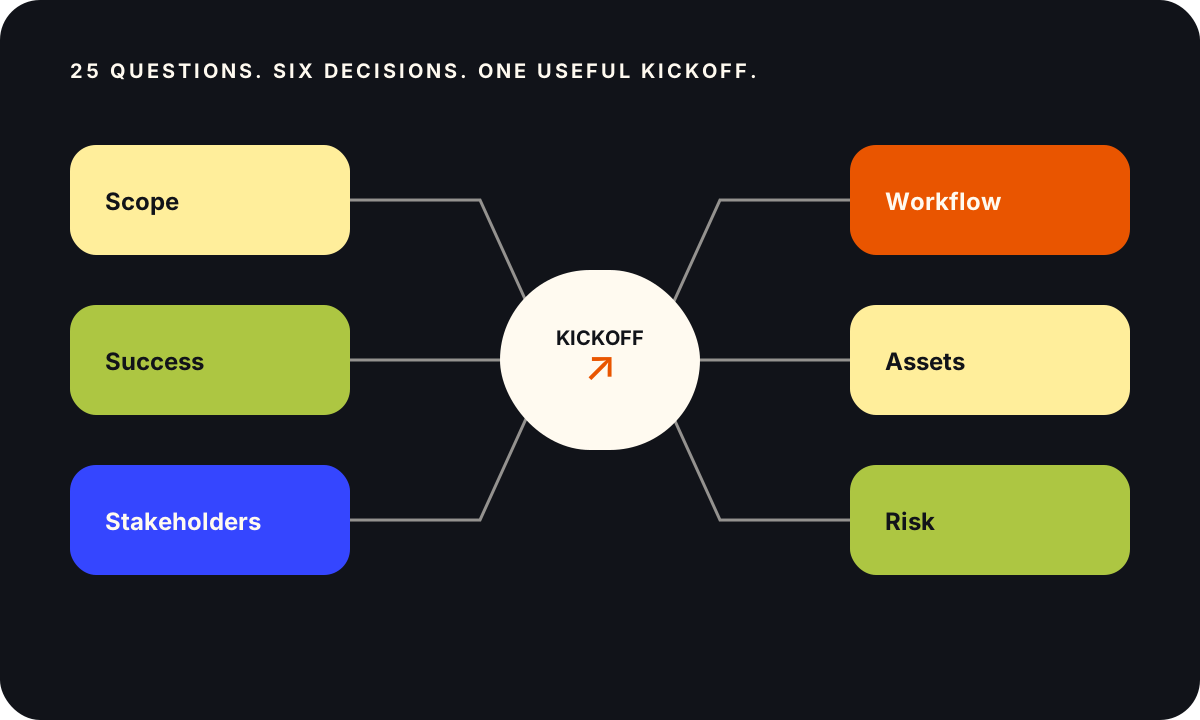
Copy the bold lines. Together they are the client onboarding questionnaire, in order, ready to paste into a form. The line underneath each one is for you, not for the client.
Decision 1: What are we actually delivering? (5 scope questions)
These five confirm your understanding against the signed scope. If an answer changes the agreed deliverable, use the existing change process; a questionnaire does not silently amend the contract.
1. What outcome are you hiring us for, in your own words? Good answers name a business result, not a deliverable. Use the answer to confirm the outcome in the shared plan, consistent with the agreement.
2. What does the finished deliverable need to contain to be accepted internally? Good answers list contents and format. Vague answers here become revision rounds later, so push for specifics.
3. What is explicitly out of scope or off-limits? Good answers name things. If the client says "nothing", you write the out-of-scope list yourself and get it confirmed.
4. What deadline is this tied to, and what happens on your side if it slips? Distinguish a contractual deadline, an external dependency and a preferred date. An unexplained date is a question to clarify, not permission to ignore an agreed commitment.
5. Has anyone attempted this before, internally or with another vendor, and what happened? Ask which dependencies or conditions have changed since that attempt. A past difficulty is a lead to investigate, not a prediction that this engagement will fail.
Decision 2: How will we both know it worked? (4 success questions)
These four become the success section of your mutual success plan. Skip them and "success" gets decided at renewal, by someone who was not on the kickoff call.
6. What metric should we measure success with? Agree a primary outcome and the quality, risk or effort checks needed alongside it. Several measures can be useful if their definitions and roles are clear.
7. What number is that metric at today? Ask for the definition, source and measurement window as well as the value. If no baseline exists, assign a collection task or agree another valid evaluation approach.
8. What would make this a clear win by the agreed review date? Agree an observable outcome and a date appropriate to the engagement. A 90-day review may be useful, but it is not a universal delivery or results promise.
9. Who reports that result upward, and to whom? Confirm how the result will be used and involve the relevant decision-maker where necessary. Reporting responsibility does not automatically confer authority to change acceptance criteria.
Decision 3: Who approves, who blocks? (4 stakeholder questions)
Use these answers to build a stakeholder map. One person may cover several roles, or a role may require more than one reviewer. Record decision authority and a deputy where needed.
10. Who is our day-to-day contact, and who is the decision-maker if that is someone else? Often it is someone else. Then your day-to-day contact needs a route to that person, so agree it now.
11. Who must approve the final deliverable? Good answers give names and an order. Agree whether reviewers work in parallel or in sequence, the review window and how conflicting feedback is resolved.
12. Who could veto or pause this project, even if they never attend a call? This question catches the week-8 surprise: legal, security, a regional lead, a brand owner or procurement reviewer. Record the relevant role and authorized contact route.
13. Who else will use or be affected by the deliverable? Check audience roles, language, accessibility needs and task context. If the audience differs from the agreed scope, review the impact before committing to additional work.
Decision 4: How do we work together? (4 workflow questions)
These four become the working agreement in your kickoff document. Use them to agree communication that both teams can realistically maintain.
14. What is your preferred channel for day-to-day work: email, Slack, or a shared portal? Choose a primary record for decisions and specify which channel handles routine work or urgent issues. Multiple channels can work if their roles are clear.
15. What response time should we both commit to? Agree working hours, time zones, expected response windows and exceptions. Do not promise a service level beyond the agreement or team capacity.
16. What meeting cadence works, and which recurring slot suits you? Agree whether recurring meetings, asynchronous updates or a combination best serve the work.
17. How do you want bad news delivered? It sounds soft, yet it sets your escalation norm. Agree an urgent escalation route as well as routine status updates. A serious issue should not wait for a weekly update merely because that is the normal cadence.
Decision 5: What do we need in hand before work starts? (4 asset questions)
Identify the inputs required for the next work, then give each dependency an owner and due date. Avoid requesting access or files that the engagement does not need.
18. Which brand assets and guidelines apply, and where can we access the approved versions? A controlled shared link can be preferable to duplicate attachments. Check permission, version, usage rights and availability. Use an approved transfer route for confidential material.
19. Which systems will we need access to, and who administers each one? Identify the administrator or managed request queue, the permissions needed and expected timing. Request named access with the necessary scope. Do not ask clients to paste passwords, API keys or authentication codes into this form.
20. What existing material should we reuse, and what must we not contradict? This protects you from the reviewer who appears in week 6 holding a document you never saw.
21. Who provides anything missing, and by what date? This one turns a shopping list into a commitment. Confirm the commitment with the person responsible and track whether it blocks the next task.
Decision 6: What could sink this project? (4 risk questions)
Give clients space to identify uncertainties and constraints without having to resolve them immediately.
22. What worries you most about this project? Good answers hand you the real risk register. Clarify severity, likelihood and who can help manage the concern.
23. What has frustrated you about working with vendors before? Use the answer to agree practical working expectations, without promising to prevent every problem.
24. Are any internal changes coming up that overlap with this timeline? A reorg, a product launch, a code freeze, an audit. Check which tasks they affect and adjust the plan with the relevant owners.
25. What security, privacy, accessibility, procurement or usage-rights requirements must this work meet, and who can confirm them? Use the answer to identify applicable reviews and approved handling of systems, data and deliverables. Requirements depend on the work, not simply the size of the client. Ask marketing attribution separately and optionally if you need it.

The answer-to-action table
A client onboarding questionnaire earns its keep here, not at the moment the client hits submit. This table maps each red-flag answer to the action you take before kickoff, so the form stops being a filing exercise.
| Q | Red-flag answer | Do this before kickoff |
|---|---|---|
| 1 | Names a deliverable, not a result | Clarify the desired outcome and confirm it against the signed scope. Use an approved change process for any amendment. |
| 3 | "Nothing is off-limits" | Draft the out-of-scope list yourself, then get it confirmed in writing. |
| 4 | A date with no consequence attached | Confirm whether it is contractual, externally constrained or preferred before changing the plan. |
| 5 | "We tried last year and it stalled" | Ask what stalled it. Check whether the cause still applies; record relevant risk and any scope impact. |
| 7 | Blank, or "we don’t measure that yet" | Assign a measurement task and agree how to evaluate the result if no historical baseline is available. |
| 9 | A reporter you have never spoken to | Confirm reporting needs and who has authority to approve the success criteria. |
| 11 | Two approvers, no order | Agree the approval sequence and the review window at kickoff. |
| 12 | "Nobody", or left blank | Check the required approval roles and let the client identify a contact or follow-up owner. |
| 15 | Response time given as "quickly" | Convert it to a number in both directions. Write it into the working agreement. |
| 19 | Access owned by "IT" | Get a named admin per system, plus a date for each request. |
| 21 | Assets promised with no owner or date | Assign both. An unassigned asset list is a delay you will absorb silently. |
| 24 | A reorg, launch or freeze inside your window | Check affected dependencies and agree any schedule change. Do not move unrelated work automatically. |
Turn unanswered questions into owned follow-ups
A missing baseline, approver or access owner is a task to resolve. Record the question, owner, due date and consequence for delivery. Add requirements from question 25 to the same tracker so essential reviews are not hidden in free-text answers.
How to build and send your client onboarding questionnaire
Format: 25 questions, six sections, few required fields
Use the 25 questions as a menu, not a required quota. Group relevant questions into clear sections, prefill confirmed answers and test the form with someone unfamiliar with the project.
Mark a field required only when a blank genuinely blocks kickoff. Let the client select “not applicable” or “not yet known” where valid, and explain how missing information will be followed up. Critical requirements vary by engagement.
Use conditional follow-ups based on the work: for example, handling personal data or accessing a production system. Do not suppress security and privacy questions merely because the client is small or the project is short.
Choose an accessible, appropriately controlled form
Use a form or portal your organization has approved for the information being collected. Test keyboard use, readable labels, error messages, mobile layout, access controls and exports. A public link reduces login effort but may be inappropriate for confidential answers. Explain the purpose of collection and provide an alternative if the client cannot use the form.
Send it, chase it once, then offer to fill it live
Send promptly after confirmation, name the responsible respondent and give a realistic due date. For example, remind that person after three working days if the form is still incomplete. Check current status before sending and avoid contacting unrelated stakeholders.
If it remains incomplete, offer an accessible way to work through the required questions together. A short call may help; complex requirements can take longer. Track your own sent, started, completed and assisted counts, with a defined observation window. Compare similar engagements rather than imposing a universal completion target.
What Corso asks before a customer education project
Here are five questions from the client onboarding questionnaire above, adapted to a customer education engagement. The structure survives the translation, and the six decisions stay identical.
Who exactly will take this training, and what is their job title on the day they take it? (Decision 1: scope. Admins and end users need different content.)
Which product workflow costs your team the most support time right now? (Decision 1, and it usually reorders the whole content plan.)
What are the top three support-ticket themes from the last 90 days, and how many tickets did each generate? (Decision 2: the baseline. Record the number of affected accounts and the time window as well as ticket volume. Training outcomes need a comparison that considers changes in product, audience and support access. Our customer education KPIs guide covers the rest.)
What content already covers this workflow, where does it live, and who last updated it? (Decision 5: assets. Review accuracy and reuse rights before deciding what to adapt.)
Who administers your LMS or help center, and can they grant edit access this week? (Decision 5 again, with access timing recorded as a delivery dependency.)
Choose the training format together after clarifying the task, audience, accessibility, delivery environment and constraints. A video is one option; it is not a substitute for resolving those questions.
FAQ
How many questions should a client onboarding questionnaire have?
For a B2B services engagement, 25 questions split into six sections is a practical starting point, not a universal benchmark. Shorter projects should ask less. Complex enterprise work may need conditional follow-ups. The real test is whether every question changes a decision and whether every required answer is used before kickoff.
When should you send a client onboarding questionnaire?
Send it promptly after the agreement is confirmed and early enough to review before kickoff. Scheduling and intake can proceed together. Agree a due date and a proportionate reminder or assisted-completion route.
What is the difference between a client onboarding questionnaire and a discovery call?
Sequence them instead of choosing. The questionnaire collects the facts: names, dates, systems, baselines, constraints. The call goes after depth: motivation, politics, the thing they did not want to type. Prefill known facts and use the call to clarify uncertain answers. Some clients will need a conversation before a form is useful.
Should a client onboarding questionnaire sit in a client portal or go out as a form link?
Choose based on sensitivity, access requirements and ease of use. A plain form link can work for routine information; an authenticated portal may be appropriate for restricted project details. Avoid unnecessary duplication and give authorized colleagues a reliable place to find the answers.
Ask better questions, then remove the friction they expose
A questionnaire helps identify missing context and dependencies. When it exposes a task customers need to learn, Corso can help design reusable instruction and a performance check. The aim is to support product adoption with evidence from the actual workflow.