

Client Onboarding Email Templates | 9 Emails With Timing
These client onboarding email templates cover nine situations from agreement confirmation to review, plus an optional sponsor update and two recovery messages. Copy the relevant block, replace every placeholder and check that the status, dates and commitments are true. The day offsets are examples; send only the messages the engagement needs.
Six rules that make client onboarding email templates work
Make the main action easy to find and explain why it matters. A sent email does not move the project forward by itself; the requested action or decision still needs to happen.
1. Acknowledge the confirmed agreement promptly. Use a response window your team can meet, with working hours and time zones considered. Check that required acceptance and handoff information are complete.
2. Keep enough detail to act. Short paragraphs and concrete dates help scanning. A review or access request may need more context than a welcome; there is no universal word limit.
3. Identify the primary action. Group closely related tasks when that is easier for the client. Do not split a simple request into several emails just to enforce a one-link rule.
4. Use specific timing. Give dates, time zones and dependencies where needed. Mark provisional dates clearly; durations can help explain effort, while deadlines identify when an action is due.
5. Name the responsible contact. State their role, working hours and an appropriate urgent route. Send from an authorized, monitored address.
6. Review every variable before sending. Check the recipient, outcome, project state, dates, links, permissions and agreed terms. Use only actual client statements and verified results.
The sequence at a glance
Choose by the event in the table, then adapt the example timing to the engagement. Skip completed steps and suppress reminders for resolved items or agreed pauses. Use the copy button on a template to take its text into your email editor.
| # | Trigger and day | The one action | Success signal | Owner | |
|---|---|---|---|---|---|
| 1 | Welcome and confirmation | Agreement confirmed; within your response window | Book the kickoff | Booked within the agreed window | Delivery lead |
| 2 | Questionnaire request | Day 0 to 1 | Complete the form | Returned before kickoff | Delivery lead |
| 3 | Kickoff invitation and agenda | 48 hours before the call (day 2 to 3) | Confirm attendees | Decision-maker confirms | Delivery lead |
| 4 | Asset and access chase | Day 4 | Upload what is outstanding | Required inputs received, or blocker and next step confirmed | Delivery lead |
| 5 | Post-kickoff recap and success plan | Inside 24 hours of kickoff (day 5 to 7) | Confirm or correct | Sponsor confirms in writing | Delivery lead |
| 6 | Weekly status update | Same time, from week 2 | Usually nothing | Client can identify progress and outstanding decisions | Delivery lead |
| 7 | Gone-quiet check | Day 5 of silence | Reply 1, 2 or 3 | A reply inside 48 hours | Named owner |
| 8 | First deliverable and first value | Weeks 2 to 4 | Review by a stated date | Feedback on time, in format | Delivery lead |
| 9 | 30-day review and handoff | Day 30 | Confirm the review slot | Plan met or revised | Account owner |
These nine message types support the six phases in the client onboarding checklist. Several messages can belong to one phase; not every engagement needs all of them.

Email 1: Welcome and confirmation
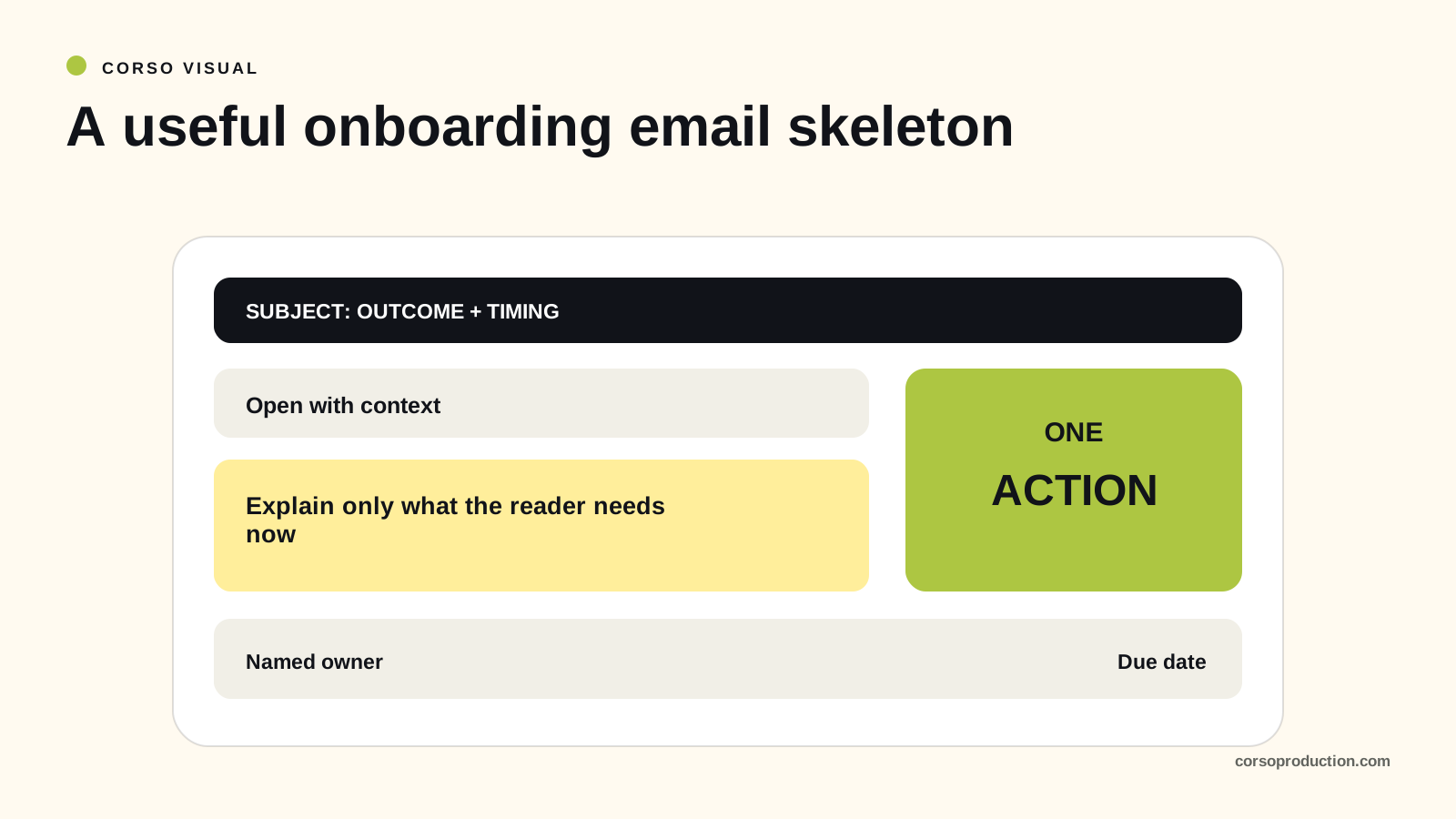
Skeleton: confirm-and-preview subject / opener in their words / named contact with hours / one ask / three dated milestones / one CTA / human sign-off.
Hi [First name],
Signed and confirmed. You are hiring us to [outcome in their words, from the sales call].
I am your onboarding contact: [Your name], [role]. My working hours are [hours and time zone]. For urgent issues, use [agreed contact route].
Please choose a kickoff slot by [date]: [Slot A] or [Slot B], in [time zone]. We have allowed [duration] for the discussion.
Our current plan, subject to [confirmed dependencies]:
- [Date]: kickoff
- [Date]: first deliverable with you
- [Date]: 30-day review
[Booking link, or "reply with A or B"]
[Your name]
Success signal: kickoff booked within the agreed window.
Add only the context needed for this engagement. If kickoff is already booked, confirm it instead of asking again. For a self-serve product journey, adapt the SaaS onboarding email sequence.
Email 2: The questionnaire request (day 0 to 1)
Skeleton: subject naming the time cost / why the form exists / link, time and deadline / the two answers that unblock the start / a live-call escape hatch.
Hi [First name],
Kickoff runs on answers instead of introductions, so here is the intake form.
Please return the required answers by [date]. Allow approximately [tested estimate] minutes; let me know if you need help or more time.
The answers we need before the next step are [required items]. Mark anything uncertain so we can resolve it together.
If the form is difficult to use, reply and we can arrange another way to complete it.
[Form link]
[Your name]
Success signal: returned before the kickoff, yes or no.
The 25 questions worth asking sit in the client onboarding questionnaire. Send early enough to review the answers before kickoff. Booking and intake can happen together; do not repeat questions already answered during sales.
Email 3: Kickoff invitation and agenda (48 hours before the call)
Skeleton: subject with date and outcome / the one decision the call must produce / five agenda lines with minutes / who attends and why / what to review first / one CTA.
Hi [First name],
We will confirm [open decisions] against the agreed scope and plan. Anything requiring a formal change will follow our agreed approval process.
Agenda, 45 minutes:
- Outcome and success metric (10 min)
- Scope, in and out (10 min)
- Dates and dependencies (10 min)
- Access and assets still outstanding (10 min)
- How we run the weekly rhythm (5 min)
Please include [sponsor name] for [decision] and [name] for [system or dependency]. Let me know if another required reviewer should join.
Before the call, skim the intake answers. [Link]
Can you confirm the attendee list by [date]?
[Your name]
Success signal: the decision-maker confirms attendance in advance.
Confirm that the necessary decision-makers can attend or provide input beforehand. A missing attendee may affect a dependency; it does not automatically add a week to every milestone.
Email 4: The asset and access chase (day 4)
Send this only for genuinely outstanding prerequisites. Check the asset register and access status immediately before sending.
Skeleton: specific subject with a count / no apology / received versus outstanding, with names and dates / the consequence as fact / one upload link / a screen-share offer.
Hi [First name],
Where the asset list stands today.
In: brand kit, analytics access, product walkthrough recording.
Outstanding:
- Approved CMS access invitation ([authorized administrator], due [date])
- Approved logo files ([name], due [date])
These items are needed for [dependent task], currently planned for [date]. If they will arrive later, please tell me so we can assess the schedule together.
Upload the approved files here: [secure file link]. For CMS access, use [approved invitation process]. Please do not send passwords or authentication codes by email.
If access is blocked, reply with the issue and I will coordinate with the appropriate administrator.
[Your name]
Success signal: required inputs accepted, or the blocker, owner and next step confirmed.
State the actual dependency and known impact. Do not invent a day-for-day delay or treat an owner and a future date as equivalent to receiving the required input.
Email 5: Post-kickoff recap and success plan (inside 24 hours of the call)
Skeleton: subject with "recap" and the date / one line of thanks / their outcome quoted back / the six-line success plan / decisions and open questions with owners.
Hi [First name],
Good call yesterday. Here is what we agreed, in writing.
What you are buying, in your words: "[quote the sponsor]"
The success plan:
- Outcome: [outcome]
- Primary outcome and baseline: [definition, source, window and value]
- Quality or risk checks: [relevant guardrails]
- Milestones: [date] [milestone], [date] [milestone], [date] [milestone]
- Owners: [your name] here, [sponsor name] on your side
- Out of scope: [item], [item]
- If something stalls: call [name] on [number]
Decisions made: [decision]. [decision].
Open questions: [question] ([owner], by [date]). [question] ([owner], by [date]).
Reply "confirmed" by [date], or tell me what to correct.
[Your name]
Success signal: the authorized sponsor confirms the plan in the agreed format. The recap records understanding; it does not replace the signed agreement or its change procedure.
Keep the confirmed plan in the shared project record. Clarify differences promptly and use the agreed process for amendments.
Email 6: The weekly status update (same day and time, every week)
Skeleton: subject with project name and week number / shipped, three bullets maximum / next week / blockers with owner and date / the timeline in one line / a CTA only if needed.
Hi [First name],
Shipped this week:
- [item]
- [item]
- [item]
Next week: [item], then [item].
Blockers: [blocker], owned by [name], needs a decision by [date].
Timeline: [verified current status and any dependency or change].
Action for you: [specific request and due date, or “None this week” if accurate].
[Your name]
Success signal: the client can identify progress, blockers and decisions needed.
A status draft can draw on current task data. Check the whole message, including commitments, blockers and recipient permissions, before sending. The automation playbook explains when review is needed.
Email 7: The client has gone quiet (day 5 of silence)
Check known absences, unresolved issues and the agreed response window first. Use this when an unanswered dependency needs a decision.
Skeleton: short human subject, no guilt / an opener that accepts priorities move / what is paused and what it costs in days / three options / a one-digit reply.
Hi [First name],
I have not heard back about [required item] since [date]. I wanted to check whether the plan still works for you.
[Dependent task] is waiting on [item]. The current schedule impact is [verified impact, or “under review”].
Pick one and reply with the number:
- Keep the plan and confirm when [item] will be ready.
- Discuss a pause until [date].
- Discuss reducing scope to [smaller option].
We will confirm any change to dates, scope or fees through the agreed process.
[Your name]
Success signal: any reply inside 48 hours.
Use the agreed escalation route if reminders do not resolve the dependency. An unanswered email does not authorize new fees, a scope reduction or suspension of contracted work.
Email 8: First deliverable and first value (weeks 2 to 4)
Skeleton: subject naming the deliverable, not the process / outcome first / acceptance criteria from the success plan / how and when to give feedback / what happens after approval / one CTA.
Hi [First name],
[Deliverable] is ready in [approved review location]. It is intended to support [agreed outcome].
Check it against what we agreed: [criterion 1], [criterion 2], [criterion 3].
Feedback goes in [tool] by [date]. One consolidated pass beats five separate replies, so gather your team’s notes before you send.
Once approval and [other prerequisites] are complete, the planned next step is [step] from [date] to [date].
Review here: [link]
[Your name]
Success signal: feedback returned in the requested format, by the requested date.
If the sponsor needs a separate outcome update, send one only when there is a verified result to report. Avoid duplicating information unnecessarily.
Hi [First name], [deliverable] went live [date]. For [defined population and window], [metric] changed from [baseline] to [current]. [Limitations or other changes affecting interpretation]. The next milestone is [date], and [owner] can share the measurement detail.
[Your name]
A before-and-after difference is not automatically caused by the deliverable. If the client needs instruction, offer the relevant resource and a help route; onboarding videos are one possible format.
Email 9: The 30-day review and handoff (day 30)
Skeleton: subject naming the review and the date / said versus happened in three lines / one honest miss and what changed / who owns the relationship now / one feedback question.
Hi [First name],
Thirty days in. Against the success plan:
- Said [milestone] by [date]. Happened: [result].
- Said [metric] would reach [target]. Happened: [actual].
- Said [scope]. Happened: [scope].
Open issues or changes: [verified issue, owner and next step, or “None outstanding” if accurate].
Subject to the agreed handoff criteria, [account owner name] will own [responsibility] from [date]. I will remain responsible for [open item, if any].
Optional feedback: how satisfied are you with onboarding, from 1 (very dissatisfied) to 5 (very satisfied)? What should we improve?
Can you confirm [slot] for the 30-minute review?
[Your name]
Success signal: review held on the date, plan met or formally revised.
Report actual issues without inventing a failure to fill the template. Keep the feedback question and scale consistent across comparable engagements, and report response counts alongside scores.
The two repair emails you will need eventually
Use these optional messages when a meeting is missed or a commitment is at risk. Adapt them to the facts and the agreed communication route.
The kickoff no-show recovery (under 60 words)
Hi [First name],
Diary collisions happen. Two new slots: [slot A] or [slot B].
[Task] currently depends on [decision from kickoff]. I will confirm any schedule impact once we have a new slot.
[Booking link]
[Your name]
The slipped-date notice (under 90 words)
Hi [First name],
[Deliverable] will not make [original date]. Cause: [one line, no hedging].
Proposed revised date: [new date], subject to [dependencies]. We have [verified corrective action]. The known impact on [next milestone] is [impact or uncertainty].
What I need from you: [one thing], by [date].
Happy to talk it through today if that helps. [Link]
[Your name]
Notify the client when the risk or slip is known, with the facts currently available. State uncertainty and confirm a next update rather than inventing certainty.
Write subject lines that describe the action
Use accurate subjects that let the recipient recognize the project and task. Do not add urgency or a deadline that does not exist.
Four more formulas, and the reasoning behind each:
- Name the artifact. "Your kickoff agenda" tells the reader what is inside.
- Name the count. "2 items left" sets the size of the job, so it feels finishable.
- Name the date. "Review by [day, date]" identifies the deadline; check that the weekday matches the date.
- Name the person. "[Sponsor first name], one decision needed" reads as addressed mail.
Judge subjects and messages by relevant customer actions as well as delivery problems. If using an external benchmark, check its audience, message purpose, measurement window and tracking method.
How to measure a client onboarding email template
Track outcomes against agreed windows:
- Time to first response: use a consistent start event and working-time definition.
- Kickoff booking: booked engagements divided by eligible engagements observed for the full window.
- Intake completion: required answers returned by the due date, with assisted and unfinished counts.
- Asset readiness: required inputs accepted by the agreed date, with blocked dependencies visible.
Email opens are an imperfect proxy for reading, and a click is not task completion. Measure the intended action, then check errors, customer effort and unresolved accounts. These measures describe parts of onboarding; use the broader customer education KPI guide to connect them with task and account outcomes.
Adapt the pack: retainer, project and SaaS implementation
Adapt the relevant messages to the engagement rather than sending every template on a fixed calendar.
Retainer. Emails 1, 5, 6 and 9 carry the load. Move email 6 to monthly once the relationship settles, and run email 9 quarterly.
Project or fixed scope. Use the messages relevant to the project and adapt email 8 for each required deliverable review. The acceptance criteria change every time, so pull them from the success plan, not the previous send.
SaaS implementation. Add a technical prerequisites email between 3 and 4, covering environments, admin rights and data. Route the training into email 8, because first value here is usually somebody’s team using the thing. That handoff works better pointing at a customer training plan than at another live session.
Whichever variant you run, the process underneath stays the same. These client onboarding email templates are one view of it, and the customer onboarding best practices behind them are another.
FAQ
When should you send a client onboarding email?
Send a welcome promptly after the agreement is confirmed, within your actual response commitment. Later messages depend on project state, prerequisites and agreed dates; they do not all need to run from a fixed welcome timer.
How long should a client welcome email be?
Use enough words to explain the next action, relevant timing and contact route. Keep the main request easy to scan. Complex approvals or access requests may need more context than a short welcome.
How many onboarding emails should you send?
Send the messages required by the engagement. These nine templates and three optional follow-ups are a menu, not a required sequence. Combine related requests and stop reminders after the action is complete.
What should a client onboarding email template include?
Four things: one named human with role and hours, one requested action, a timeline with real dates, and a single call to action.
What do you write when a client stops responding?
Use email 7 to identify the unanswered dependency, state the known impact and ask for a decision. Check absences or open issues, then follow the agreed escalation route. Confirm any pause, scope or fee change through the existing agreement.
Help clients complete the task after the email
Clear emails coordinate the next action. They can also deliver useful instruction, but a sent resource does not establish that the client can perform the task. Check understanding and provide a route to help.
A pilot finds the explanation your team repeats on every engagement and rebuilds it as structured content clients use without you. See what that looks like, or start here.